
*Update App Info*
Current Version: 6.0
Requires Android: 2.1 and up
Category: Productivity
v6.0 update:
- Fixed when receiving 2 or more SMS, LED is being canceled off
- Fixed WhatsApp notification by keyword with group name sometimes not working
- Fixed custom color LED for WhatsApp notification by keyword not set correctly sometimes
- Fixed WhatsApp keyword not removed if remove keyword right after edit keyword
- Do not allow @ symbol in whatsapp keyword
- Added airplane mode on LED notification
- Added some missing translation for Croatian, Turkish
Overview:
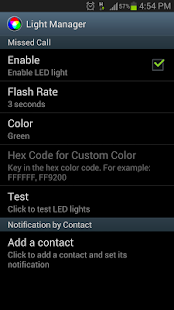
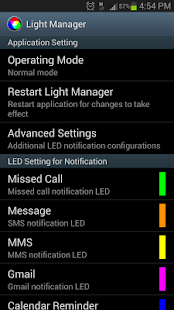
Configure LED color and its flashing frequency for notification as shown below:
- Miss call
- SMS
- MMS
- Gmail
- Calendar reminder
- Hangouts
- *Email
- *Facebook
- *Facebook Messenger
- *Twitter
- *WhatsApp
- *BBM
- *LINE
- *GO SMS Pro
- *Handcent SMS
- *chomp SMS
- *Any 3rd party apps
- Low battery
- Battery charging
- Battery charged
- No signal
- No 3G/4G
- No Wifi
- Airplane Mode On
- Silent Mode On
- Vibration Mode On
- Ringer Mode On
- Mobile Data On
- Wifi On
- Wifi Hotspot On
- Bluetooth On
On Android 4.1 and 4.2, ROOT is required for those mark with asterisk *. After grant the ROOT permission, you need to restart Light Manager for changes to take effect. However ROOT is not required anymore from Android 4.3 onwards. You need to enable the Notification Access for Light Manager at Setting > Security > Notification Access > Light Manager.
There are two operating modes:
1) Normal Mode – Only LED color for the first notification will be flashing
2) Alternating Mode – A few LED colors will be flashing alternately when multiple notifications are received
You may go to the test section to test whether this app works for your device.
For Samsung Galaxy SIII (JB):
- Device’s screen needs to be turned off in order for the notification LED to work
- You need to go to Setting > Display > LED indicator and enable “Notifications” in order for this application to work
For supported devices list and FAQ, you may go to the link below:
https://docs.google.com/document/d/1t26evGufoC4Fha1Vjyho1cgBKHY6MLJGBPHcsGKZVLc/edit
0 Comment "Light Manager – LED Settings 6.0 APK"
Post a Comment