
Current Version: 1.4.8
Requires Android: 2.3 and up
Category: Communication
v1.4.8 update:
1.4.8
- Added auto repeat for popup keyboard keys
- Added ability to automatically run a snippet once connected
- Fix for terminal bell erroneously triggering when resizing terminal
- Fix for bottom line of terminal getting corrupted at certain font sizes with tmux/screen
- Telnet and Local Terminal now work on x86 devices
- Disconnecting/connecting a bluetooth or slide keyboard no longer reconnects session
For full change log see:
http://juicessh.com/changelog
Overview:
The all in one terminal client for Android including SSH, Local Shell, Mosh and Telnet support.
Features:
- Full colour terminal / ssh client
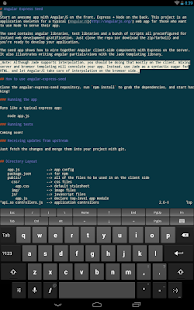
- Popup keyboard with all those normally hard to find characters
- Use the volume keys to quickly change font size
- External keyboard support
- Official Mosh support (http://mosh.mit.edu)
- Telnet support
- Local Android terminal support
- Click URLs to open in a browser
- Copy & Paste within sessions
- Save / Share SSH transcripts to Dropbox/Evernote/Email & SD card
- UTF-8 character support
- Easily organise your connections by group
- Keep multiple SSH sessions running in the background
- Seamlessly connect ’via’ other SSH connections with one click
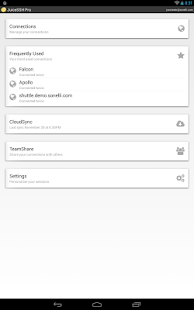
- Immediate access when you open the app to your frequently used connections
- Password & OpenSSH private key support
- SSH key agent forwarding
- Support for two-factor authentication (eg: Google Authenticator)
- Identities (users/password/keys) are abstracted from connections. Instead of updating every connection when you change your password – just update the identity and any connections linked to it will use the new password/key.
- Works out of the box with Ubuntu, RedHat, CentOS, Mint, Gentoo and all other flavours of Linux
- zlib compression to improve SSH sessions on high latency connections
Pro Features (optional in-app purchase):
- Quick and easy port forwards that can be connected to via the app or widget and can automatically open in a browser if required.
- Integrate with Amazon AWS / EC2, synchronise connections and automatically group servers based on their class or security groups.
- Securely keep everything in sync between multiple devices
- Automated AES-256 encrypted backups of all of your connections and settings
- A beautiful widget for fast access to either your frequently used connections, or a specific group (Android 3.0+).
- Team collaboration. Share your groups of connections with team members and start working together instead of separately.
- Handy snippets library for quick access to your frequently used commands
- Dark, Light, Solarized Dark and Solarized Light terminal color themes
For an overview of solarized color scheme and why it rocks for terminal usage check out http://ethanschoonover.com/solarized
- Security lock to automatically protect JuiceSSH after a period of inactivity
For a detailed overview of this applications permissions and how each one is used in our ssh client please see http://sonelli.com/permissions
Tag: JuiceSSH – SSH Client 1.4.8, Mod, Full, Free, Download, APK, Android, Premium, New Version, Update, Kendari Flasher
0 Comment "JuiceSSH – SSH Client 1.4.8 APK Android"
Post a Comment